Toonpics - Cartoon Photo Edit
Hideaway Technology LimitedPhotography
4.6317.00 Reviews
- Version
- 1.7.5
- Installs
- 1.00M
- Age Rating
- Everyone
Screenshots
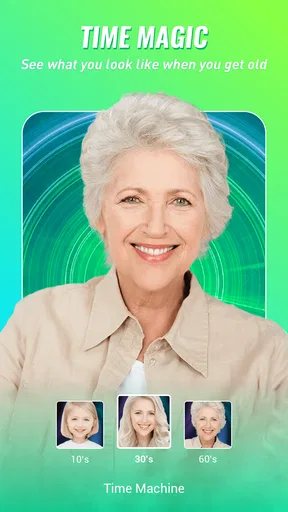
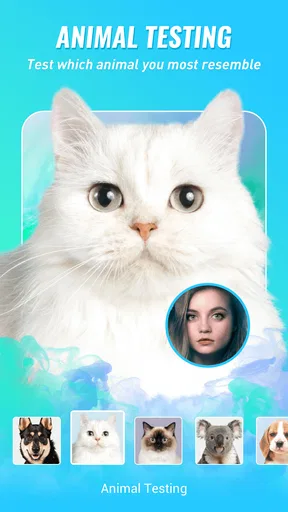
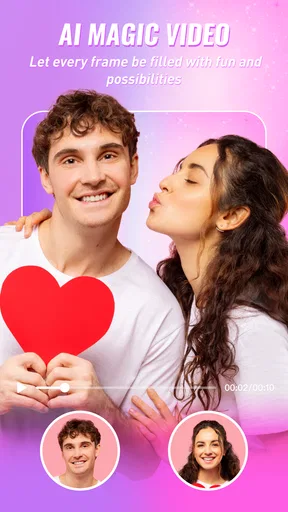
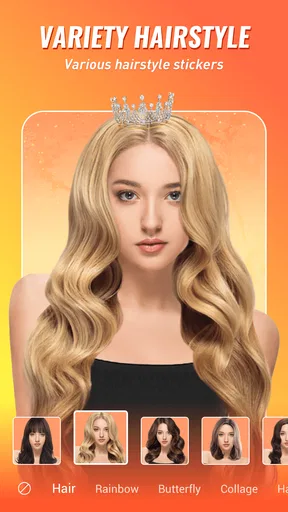
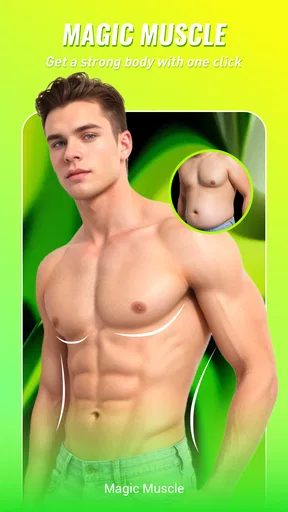
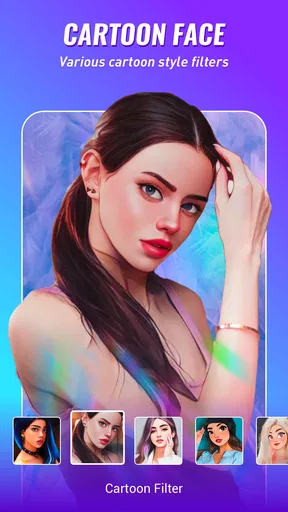
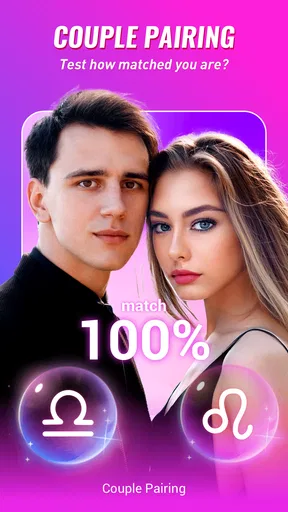
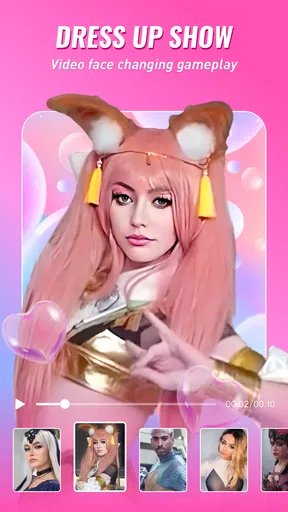
Our Review of Toonpics - Cartoon Photo Edit
 Analysis by Appyee
I find apps like Toonpics - Cartoon Photo Edit most useful when I want a quick, playful change to a photo rather than a polished edit that takes careful work. Its focus is turning pictures into cartoon-style images, with other AI picture effects that give you a few different directions to explore. That makes it an easy choice for a light creative experiment, though I wouldn’t treat it as a full replacement for a general-purpose photo editor.
Who may enjoy the experience
I’d recommend it to someone who likes trying a new look on a portrait, making a pet picture more amusing, or preparing a casual image to share with friends. You don’t need to know how to draw or understand complicated editing controls to get started. If your goal is simply to see how a familiar photo changes when it is rendered in a more illustrated style, the appeal is immediate.
It is less suited to anyone who needs precise retouching, a dependable professional workflow, or exact control over every visual detail. A dedicated editor is the better tool when you need to correct perspective, preserve natural skin texture, or prepare a carefully consistent set of images. Toonpics is at its best when the result can be expressive rather than exact.
How I’d use it in a normal day
Imagine I have a clear photo of my dog and want to send something amusing to a family chat. I would start with the original image, try a cartoon treatment, and compare the result with the source before sharing. If the first look feels too strong, I’d test a subtler setting rather than applying more effects automatically. That small comparison step matters: stylized filters can make an image feel lively, but they can also change details that make a face or animal recognizable.
For a profile image or a birthday greeting, I’d also think about the crop before choosing a style. A close, well-lit subject is often easier to read after a strong visual transformation than a busy scene with several people and a cluttered background. I’d keep the untouched original so I could try another treatment later without losing the version I started with.
What to expect from the developer and edition
Toonpics is a free photography app from Hideaway Technology Limited. It has an average rating of 4.6 from around 11,000 ratings, with roughly 315 written reviews and over 1 million installs. The app is rated for Everyone, and its current version is 1.7.0; it runs on Android 6.0 or later. Optional in-app purchases range from $0.99 to $99.99 per item, so I’d check what is included in the free experience before deciding to buy anything.
Getting Started with Toonpics
The first thing you'll notice when you fire up Toonpics is its user-friendly interface. No rocket science here, folks. Just a simple, intuitive design that gets you from zero to cartoon hero in no time. Once you download and install it, you’ll be greeted by a clean layout that makes navigation a breeze.
After a quick sign-up, you can jump straight into the action. Just upload a photo from your gallery or snap a new one directly within the app. The transformation process is quick and smooth, and you'll be amazed at how fast your image turns into a cartoon masterpiece.
Readability and finding your way around
When I judge a photo app’s navigation, I care less about whether it looks fashionable and more about whether I can understand what to do next. Toonpics presents itself as a straightforward path from choosing an image to trying a visual treatment. That kind of focused flow is helpful for people who prefer to learn by doing rather than digging through a dense editing workspace.
For a first attempt, I’d choose a photo that is easy to recognize and test one effect at a time. That makes it simpler to tell whether the change comes from the style itself or from the image you started with. If an interface offers several creative choices, pausing to compare them is more useful than tapping through quickly and losing track of which version you liked.
Motor and sensory considerations
A short sequence of choices can be more comfortable than a complicated edit with many fine adjustments, particularly for someone who finds prolonged screen interaction tiring. I’d still take breaks during a longer session and avoid trying to make tiny precision edits on a small display. Cartoon effects are inherently visual, so anyone sensitive to intense colors or rapidly changing previews may prefer to work slowly and stop when the image becomes uncomfortable to inspect.
For steadier results, I’d prepare the photo before opening it: choose the image, check that the subject is visible, and decide whether the intended use is a profile picture, a greeting, or a casual share. This reduces repeated back-and-forth and makes the creative part less demanding. The app’s simple premise can help keep the task manageable, but it does not remove the need to judge whether a transformed image is clear and comfortable to look at.
Using it in different situations
Toonpics is most convenient when I have a photo ready and a few minutes to experiment. At home, I might compare cartoon treatments for a pet portrait; while planning a social post, I might try a different look on a selfie and decide whether it still feels like me. The app’s emphasis on playful transformations makes it better for these informal moments than for editing a batch of images that all need to match.
If I’m away from a stable connection or short on time, I’d avoid beginning an important edit until I know the image can be processed and saved as needed. I’d also keep a copy of any photo that matters before experimenting. That is sensible practice with any editor: a creative variation should not become the only copy of a picture you care about.
Where the experience may fall short
Stylized image tools involve a trade-off: the stronger the transformation, the more likely the result is to depart from the original expression, fine detail, or natural appearance. That can be fun for a comic effect, but it may disappoint someone hoping for a subtle enhancement. I recommend judging each result at the size and context where it will actually be used, not just by how striking it looks in a preview.
There is also a difference between a quick creative app and a complete photo studio. If you need careful layers, detailed masking, consistent color correction, or reliable control over a complex composition, a more comprehensive editor will offer a better fit. I would use Toonpics for a focused visual transformation, then turn to another tool if the image needs extensive finishing.
Features That Stand Out
Let's talk features because Toonpics packs a punch. The app includes a variety of cartoon styles, from classic hand-drawn looks to modern digital art vibes. Each style is distinct, allowing you to choose the one that best captures your personality or mood.
- Customization Options: Not only can you choose from various styles, but you also have options to tweak the intensity of each effect. This means you can go full cartoon or keep it subtle—totally up to you!
- Editing Tools: Apart from cartoon effects, the app offers basic editing tools like cropping, adjusting brightness, and contrast. Handy for those who want to polish their photos a bit before cartoonifying them.
- Backgrounds and Filters: Spice up your cartoons with cool backgrounds and filters. Whether you want a splash of color or a dreamy backdrop, the app has got you covered.
Getting a better result from each photo
One practical way to get more from the style choices is to treat the source image as part of the edit. A sharply framed portrait with the face unobstructed gives the effect a clearer subject to work with; a distant face, strong shadow, or crowded scene may produce a less satisfying transformation. I’d crop thoughtfully, but not so tightly that hair, ears, or other defining details disappear.
When I’m deciding between a bold treatment and a restrained one, I’d consider where the picture is going. A small avatar can benefit from a simple, high-contrast look, while a keepsake image may be better with a gentler effect that retains more of the original character. The useful question is not which style looks most dramatic, but which one remains readable at the size people will see.
Unleashing Your Creativity
One of the things I love most about Toonpics is how it allows you to unleash your creativity. The app doesn't just stop at individual photos. You can create entire cartoon strips or collages, perfect for sharing fun moments with friends on social media.
Have a favorite pet photo? Turn it into a cartoon and watch your furry friend come to life in a whole new way. The possibilities are endless, and the only limit is your imagination.
When I’d choose another kind of editor
Compared with a standard photo editor, Toonpics puts the novelty of an illustrated appearance ahead of broad, technical control. That distinction is useful: a general editor is usually the sensible starting point for straightening, detailed cleanup, or balancing a series of images, while this app is more appealing when the point is to make one picture feel noticeably different. I wouldn’t install it expecting the same depth as a full editing suite.
It also differs from simply applying a conventional color filter. A cartoon treatment changes the character of the image rather than just shifting its tone, so it can feel more personal and entertaining—but less faithful. For a formal portrait, a work image, or a picture where accurate appearance matters, I’d keep the original look or use a restrained editor instead.
Sharing and Saving Your Cartoons
Once you've created your cartoon masterpiece, sharing it is a breeze. The app is seamlessly integrated with major social media platforms, so you can post your creations directly to Instagram, Facebook, or Twitter with just a tap.
If you prefer to keep your artworks to yourself, the app allows you to save them in high-quality formats. This means you can print them out or keep them as digital keepsakes.
A few sensible checks before sharing
Before posting a transformed portrait, I’d look closely at the face and background, then ask whether the edited version still communicates the expression I intended. For a family group or a picture of someone else, I’d also consider whether they would be comfortable with the stylized result being shared. A playful edit can travel farther than expected once it leaves the phone, so I prefer to decide on the audience before tapping share.
If I’m making several versions, I’d label or save them in a way that helps me distinguish the favorite from the experiments. That avoids the common nuisance of choosing a rough draft later simply because it is easiest to find. Keeping the original alongside the finished edit gives me a clean fallback if I change my mind.
Final Thoughts
In a nutshell, Toonpics - Cartoon Photo Edit is a delightful app that brings a touch of whimsy to your photo editing experience. It's easy to use, packed with features, and offers endless creative possibilities. Whether you're a photo editing novice or a seasoned pro, this app is sure to bring a smile to your face.
So, if you're ready to see yourself or your loved ones in a whole new light, give Toonpics a try. It's fun, it's fresh, and it might just become your new favorite app.
My inclusive verdict
For me, Toonpics is worth considering if a simple route to playful photo transformations sounds enjoyable and the person using it is comfortable making visual choices on a phone. Its focused approach may suit casual experimentation better than a feature-heavy editor, while its creative effects can make ordinary portraits and pet pictures feel more personal. The app is free to start, although optional purchases mean I’d pay attention to any purchase choice rather than assume every option is included.
I’d skip it if I needed extensive fine control, a predictable professional finish, or an interface tailored to specific access needs that I rely on. I also wouldn’t choose it for a photo where preserving every detail is more important than changing the style. For informal portraits, animal pictures, and small creative projects, though, I can see the appeal: it makes experimentation approachable, as long as I take my time, keep the original, and choose the result that works for the person and situation.
Verdict
Strengths of Toonpics - Cartoon Photo Edit
- Intuitive interface for easy navigation.
- Wide range of cartoon effects available.
- Fast rendering of edited images.
- Supports high-resolution outputs.
- Regular updates with new features.
Limitations of Toonpics - Cartoon Photo Edit
- Limited free features; many are premium.
- Occasional ads interrupt editing flow.
- Requires internet connection for full use.
- Some effects lack customization options.
- In-app purchases can be pricey.
Similar Picks in This Category
View All
Google Photos
Google LLC4.4

Gallery
Google LLC4.2

Picsart AI Photo Editor, Video
PicsArt, Inc.3.9

B612 AI Photo&Video Editor
SNOW Corporation4.1

BeautyPlus-Selfie Photo Editor
PIXOCIAL TECHNOLOGY (SINGAPORE) PTE. LTD.4.5

Remini - AI Photo Enhancer
Bending Spoons4.1
Frequently Asked Questions
What is Toonpics - Cartoon Photo Edit?
Toonpics - Cartoon Photo Edit is an app that allows users to transform their photos into cartoon-like images. With a variety of filters and editing tools, it’s designed to make your pictures look like they've been hand-drawn by an artist, offering a fun way to add a creative twist to your photography.
How do I use the filters in Toonpics?
Using filters in Toonpics is straightforward. After uploading your photo, you can browse through various cartoon styles. Simply select the one you like, and it will automatically apply to your image. You can further adjust the intensity of the effects to suit your taste, making it easy to customize your results.
Is Toonpics free to download and use?
Toonpics is free to download and offers a range of basic features at no cost. However, it also includes in-app purchases for premium filters and advanced editing tools. If you want to access the full suite of features, you may need to subscribe to a paid plan or purchase individual items.
What devices are compatible with Toonpics?
Toonpics is available for both Android and iOS devices. It supports a wide range of smartphones and tablets, ensuring compatibility with most modern devices. However, it's always a good idea to check the app store for any specific device requirements or compatibility issues before downloading.
Can I share my edited photos directly from the app?
Yes, Toonpics allows you to share your edited photos directly from the app. Once you've finished editing, you can easily share your creations on social media platforms like Instagram, Facebook, and Twitter, or send them via messaging apps. This feature makes it convenient to showcase your artistic photos with friends and followers.
